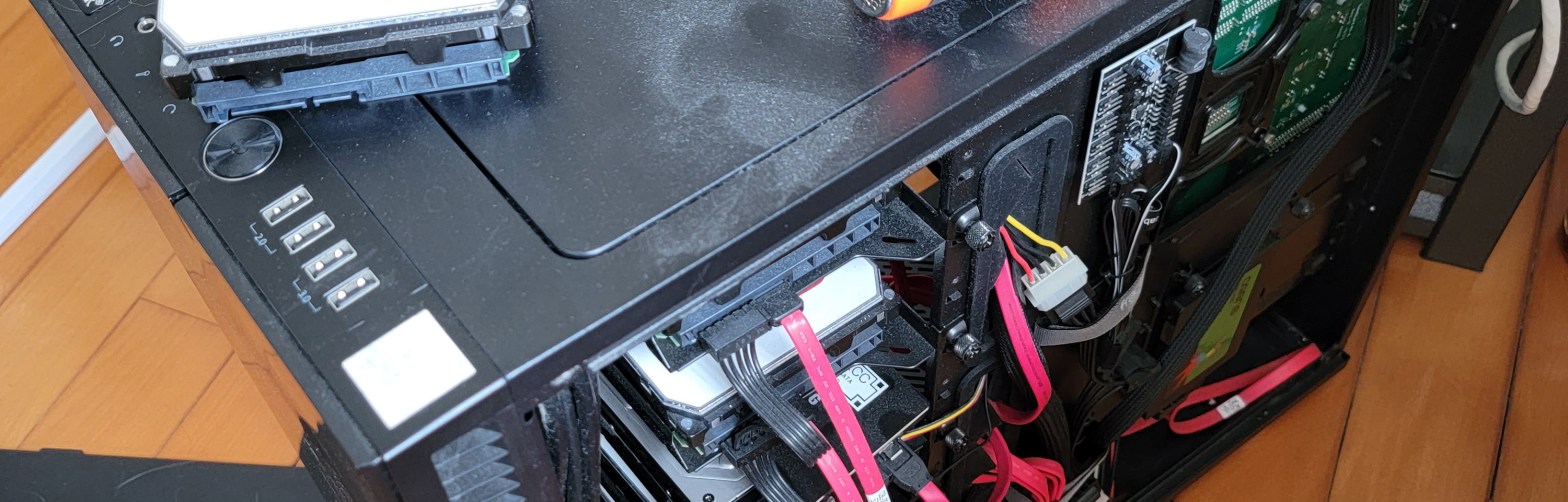
The other day I logged in to my TrueNAS admin interface and was welcomed by multiple warnings. Basically, one of my disks was having a bad time. This post talks about my experience swapping that disk.
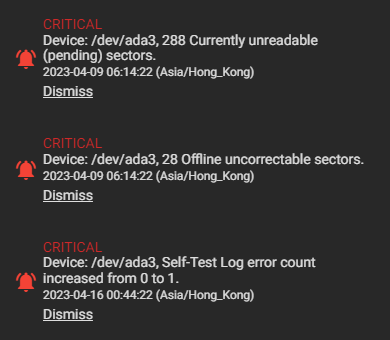
I connected to the server via SSH and checked the status of /dev/ada3 using smartctl.
# smartctl -a /dev/ada3
smartctl 7.2 2020-12-30 r5155 [FreeBSD 12.2-RELEASE-p14 amd64] (local build)
Copyright (C) 2002-20, Bruce Allen, Christian Franke, www.smartmontools.org

=== START OF INFORMATION SECTION ===
Model Family:     Western Digital Red
Device Model:     WDC WD80EFZX-68UW8N0
Serial Number:    XXXXXXXX
LU WWN Device Id: 5 000cca 263c99eb7
Firmware Version: 83.H0A83
User Capacity:    8,001,563,222,016 bytes [8.00 TB]
Sector Sizes:     512 bytes logical, 4096 bytes physical
Rotation Rate:    5400 rpm
Form Factor:      3.5 inches
Device is:        In smartctl database [for details use: -P show]
ATA Version is:   ACS-2, ATA8-ACS T13/1699-D revision 4
SATA Version is:  SATA 3.1, 6.0 Gb/s (current: 6.0 Gb/s)
Local Time is:    Fri Jun  9 09:19:56 2023 HKT
SMART support is: Available - device has SMART capability.
SMART support is: Enabled

=== START OF READ SMART DATA SECTION ===
SMART overall-health self-assessment test result: PASSED

General SMART Values:
[...]

SMART Attributes Data Structure revision number: 16
Vendor Specific SMART Attributes with Thresholds:
ID# ATTRIBUTE_NAME          FLAG     VALUE WORST THRESH TYPE      UPDATED  WHEN_FAILED RAW_VALUE
  1 Raw_Read_Error_Rate     0x000b   100   100   016    Pre-fail  Always       -       1
  5 Reallocated_Sector_Ct   0x0033   100   100   005    Pre-fail  Always       -       0
  7 Seek_Error_Rate         0x000b   100   100   067    Pre-fail  Always       -       0
  9 Power_On_Hours          0x0012   095   095   000    Old_age   Always       -       37597
 12 Power_Cycle_Count       0x0032   100   100   000    Old_age   Always       -       87
 22 Helium_Level            0x0023   100   100   025    Pre-fail  Always       -       100
194 Temperature_Celsius     0x0002   185   185   000    Old_age   Always       -       35 (Min/Max 19/43)
196 Reallocated_Event_Count 0x0032   100   100   000    Old_age   Always       -       0
197 Current_Pending_Sector  0x0022   100   100   000    Old_age   Always       -       176
198 Offline_Uncorrectable   0x0008   100   100   000    Old_age   Offline      -       275
199 UDMA_CRC_Error_Count    0x000a   200   200   000    Old_age   Always       -       0

SMART Error Log Version: 1
No Errors Logged

SMART Self-test log structure revision number 1
Num  Test_Description    Status                  Remaining  LifeTime(hours)  LBA_of_first_error
# 1  Extended offline    Completed: read failure       90%     37597         -
# 2  Short offline       Completed: read failure       10%     37468         -
# 3  Short offline       Completed: read failure       90%     37300         -
# 4  Short offline       Completed: read failure       90%     37132         -
# 5  Short offline       Completed: read failure       10%     36964         -
# 6  Short offline       Completed: read failure       10%     36797         -
# 7  Short offline       Completed: read failure       90%     36628         -
# 8  Short offline       Completed: read failure       90%     36460         -
# 9  Short offline       Completed: read failure       90%     36292         -
#10  Short offline       Completed without error       00%     36124         -
#11  Short offline       Completed without error       00%     35956         -
[...]
At this point, given the high values of Current_Pending_Sector and Offline_Uncorrectable, along with failed SMART self-tests, it is clear that this disk should be replaced quickly. It is still functional, and the pool’s integrity is not yet affected, but this should not stay unaddressed.
As you can see from the LifeTime column, the disk started failing shortly after 4 years of service. It is no longer under warranty. I could have expected a slightly longer life time from a NAS-quality disk, especially as the load it receives is not very intense.
On a side note, the disk was a simple WD Red NAS 8TB drive (5400RPM). This model is no longer advertised on WD’s website. The Red NAS series now ends at 6TB. The 8TB model is under a new category called Red NAS Plus and comes with a slightly unusual 5640RPM. All those models use SMR technology, unlike smaller size models which may use CMR and for which you should pay attention to the exact model number.
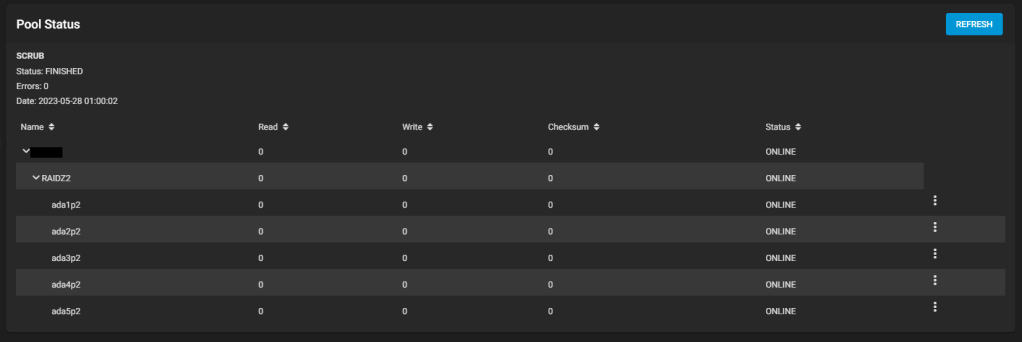
Fortunately, this disk is part of a RAID-Z2 pool, meaning it has two disks worth of redundancy. Even it stops working, the pool will be able to operate (albeit in a degraded state).
I ordered a replacement drive, and then started the process of replacing a failed disk by following the official instructions.
One concern I had is related to the GELI encryption: What happens to a pool that’s encrypted? Can I still swap the drive easily? The answer is yes.
First step is to take the failing disk offline.
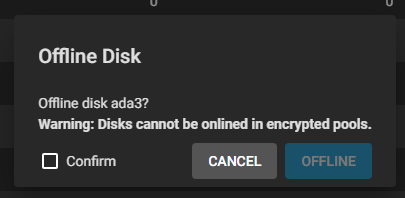
Of course, you would not assume everything with TrueNAS goes absolutely smoothly. There got to be some errors. And the first error indeed came: I cannot take the disk offline: Cannot allocate memory occured while trying to swapoff /dev/mirror/swap0.eli.
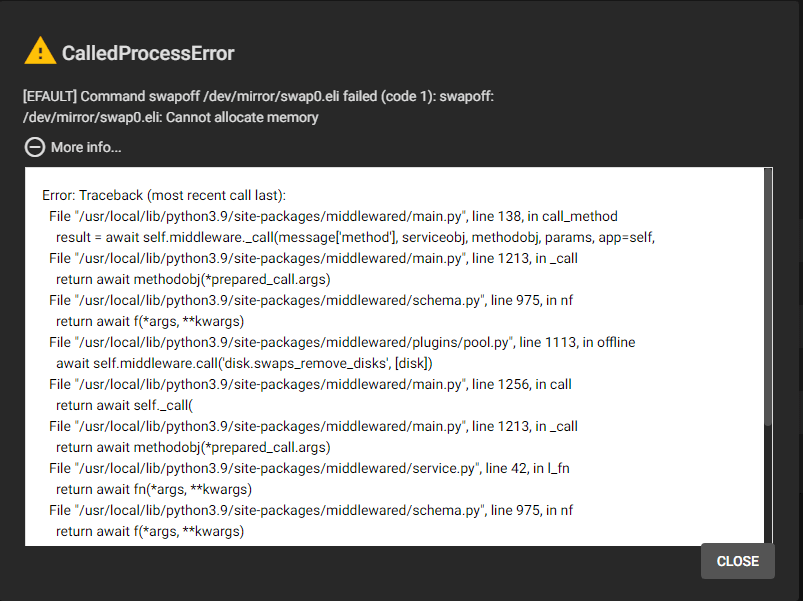
My server should have enough RAM to support its activities without swap, so I don’t understand why I get this error. I stopped a number of my jails and tried again, it finally worked. A new alert shows the pool is going from Active to Degraded state.
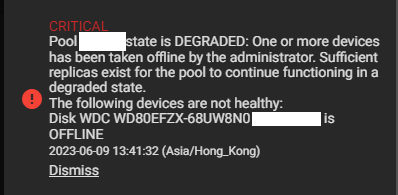
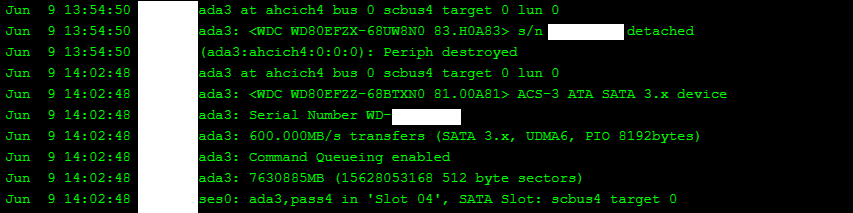
Second, I unplugged the disk’s power cable, then data cable, swapped in the new disk and plugged it in (data then power). TrueNAS will keep track of what you are doing.
Third, I clicked on Replace for this disk in the pool, and selected ada3 (I plugged the disk in the same place as the old one).
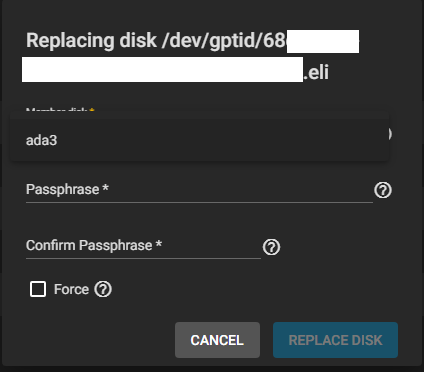
Unexpectedly, I needed to re-enter the GELI passphrase used in the pool. Since I needed to type it twice, I was unsure whether mistakenly using a different passphrase than the rest of the pool was going to create any issue. It does not seem that this new passphrase will be checked against the existing one, so be careful.
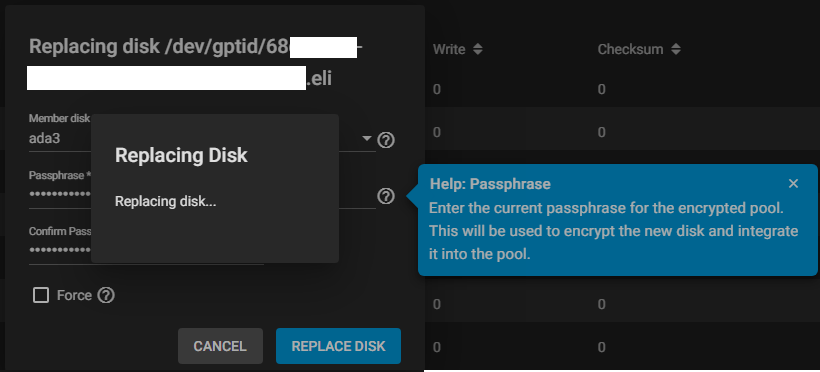
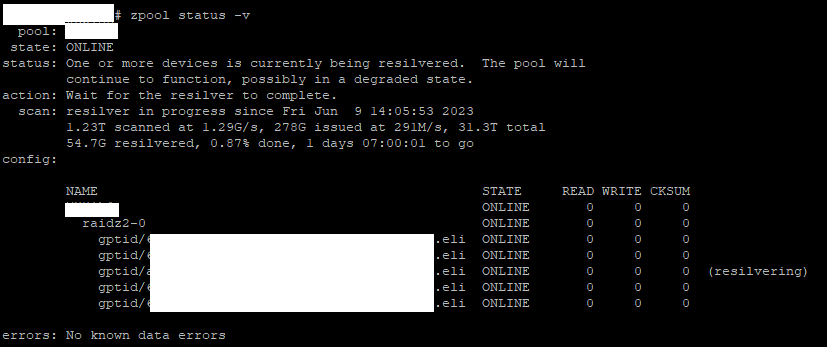
The disk then got formatted quickly, and resilvering started!
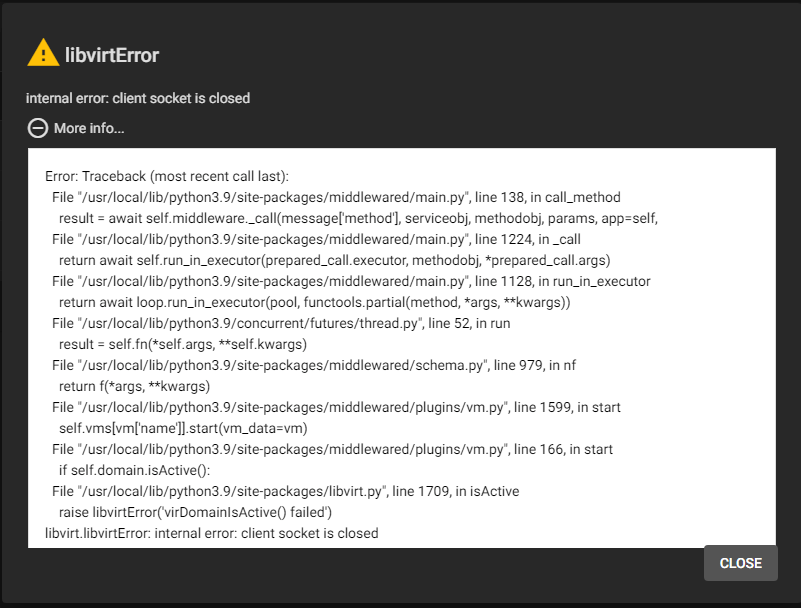
I thought this was all, but somehow in the process of taking the failed disk offline, I think some processes got killed. My virtual machines showed an Off state, although they were still running. I restarted the middleware service (service middlewared restart). Then, they were showed as On, but I couldn’t VNC To them, instead I got a libvirtError: internal error: client socket is closed. Cool…
To access the VMs using VNC, it is still possible to grab the VNC port (different than the web port you can use for VNC) and connect with a VNC client. My jails are suddenly unreachable even after a restart. Definitely something wrong happened… Except by restarting the server, I am not sure to address this problem.
Otherwise, the experience was rather good. Fingers crossed everything will be back to normal in a day after resilvering.
UPDATE: I had to restart the NAS for all jails and virtual machines to work properly. Resilvering resumed by itself after a while, and it’s now finished!
state: ONLINE
scan: resilvered 6.04T in 1 days 11:27:51 with 0 errors on Sun Jun 11 01:33:44 2023 Xavier de Carné