What is the common issue between the Tor Browser being stuck at establishing a connection, failing to list Android devices with adb, and Inkscape not launching? A big mystery. ChatGPT couldn’t help much.
Symptoms
It started with weird symptoms. When I wanted to proxy my traffic through an SSH SOCKS proxy (plink -D), this wouldn’t work. Port forwarding with -L 8000:localhost:8000 wouldn’t work either. I would get errors that suggest it’s half-working, half not working. And it wasn’t an SSH problem. When I ran these SSH commands in a VM, they would work!
Then, I couldn’t use eduVPN, the Dutch university VPN solution. After authentication, it would be blocked at “configuring” the network. Since eduVPN is based on OpenVPN, and I had two OpenVPN instances running, I figured there might be a conflict. One is the vanilla OpenVPN community version, the other one is a Dutch-hardened OpenVPN-NL. I uninstalled both of them, but it didn’t help.
Another time, I want to use the Tor Browser that I was using without issue before. It doesn’t bootstrap the connection. After I clicked “Connect”, it would usually do its thing, collect info on nodes, and establish a connection. Here, I didn’t even see the progress bar. It was doing nothing. No other connection options (bridges) worked either.
Another day, I needed to run something through adb on my phone. I have the Android Studio installed, and used to have no problem listing my devices and running a shell on them. That day, adb devices never returns. Quite awkward. I get a prompt on my phone to allow my computer, so things are somewhat working, but it cannot proceed completely.
That same day, I also wanted to convert a PDF to SVG using Inkscape. I try to run it, but it never comes up. I remember Inkscape takes a few seconds to show up. I look at the process, it’s doing nothing.
Five seemingly different problems.
Loopback interface
I figured that at least in some of these cases, there was localhost involved. SSH proxy or port forwarding means I need to contact localhost. adb starts a server on localhost too. What about Inkscape?
I started listening with Wireshark on the loopback interface, and saw that surely, Inkscape started talking on localhost! It talks to gdbus.exe, a GTK “D-Bus” something. The traffic suggested there was a failed authentication with no follow-up: REJECTED EXTERNAL DBUS_COOKIE_SHA1. At this stage, I asked ChatGPT, and it tried to find issues. It suggested disabling whatever authentication there was via environment variables. Didn’t work. Clear Inkscape AppData profile. Nop. Try to use ProcMon and capture something useful. gdbus.exe was browsing HKCR then stopped. Could it be a corrupted registry hive? Permission issues on some of these registry keys? A security solution intercepting some of these calls? None of that.
Then it struck me: I have multiple problems involving localhost connections, they must all be related.
I asked ChatGPT how to reset all my network stack. I must have messed up something by fiddling with my settings, I figured.
Under Network & internet > Advanced network settings, I tried “Network reset”.
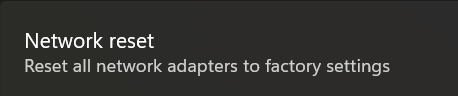
Rebooted. Tested Inkspace and SSH proxy. Didn’t work.
ChatGPT gave me a few commands to run:
netsh winhttp reset proxyipconfig /flushdnsnetsh winsock resetnetsh int ip resetnetsh advfirewall resetshutdown /r /t 0
This resets Winsock, IP parameters, Windows Firewall rules, removes possible system proxy settings. Rebooted. Tested. Didn’t work.
ChatGPT suggested checking 3rd party filter drivers bound to network adapters:
Get-NetAdapterBinding -AllBindings | Where-Object {$_.Enabled -eq $true} |Select-Object Name, DisplayName, ComponentID | Format-Table -AutoSize
I had indeed many interfaces and filters: VMware Workstation, VirtualBox, another VPN app, npcap (Wireshark), wireguard, etc. I uninstalled many of them. Didn’t work.
Loopback test
I insisted to ChatGPT that something was wrong for localhost traffic only. It suggested some EDR/firewall things might be blocking. I don’t have an EDR solution on this computer, but ok.
Let’s do a test, it suggested. In PowerShell, run a server and a client that connect to each other, and exchange 50MB of data. If it works, it must be an application problem, not a network problem.
The test succeeded, 50MB were transferred on localhost. But I still thought this had to do with localhost traffic. What’s going on?!
I captured instances of the SSH port forwarding not working. By connecting to a HTTPS server through SSH, I can establish a TLS connection, see the certificate, but then TLS handshake stops before I can send data. This is super awkward. When I let this same SSH proxy listen on 0.0.0.0:8000 locally, and connect to it from a VM via the shared NAT interface, I have no problem, the TLS connection finishes, and I can request a page. So, I have incomplete/truncated connections.

curl https://localhost:8008 on plink -L 8008:localhost:8000 serverThe Wireshark capture showed the connection on localhost was done over IPv6. ChatGPT suggested IPv6/IPv4 problems such as a “split-head” problem, where IPv4 would be working but the IPv6 server was actually listening from another process. None of this was useful. By forcing IPv4 only, the problem remained.

curl https://127.0.0.1:8008 on plink -L 8008:localhost:8000 serverTCP Congestion Algorithm
I then remembered that months ago, while reviewing a thesis on TCP congestion, I explored the supported TCP congestion algorithms in Windows and figured there is a more advanced algorithm that’s supported but not enabled by default. This is typically a case where I want to switch to the best algorithm and enjoy faster speeds, especially on my local network.
See, the TCP protocol is built in a way that it wants to maximize the use of your bandwidth without creating congestion on the network. Whenever there is packet loss, it assumes you’ve saturated the network, and a congestion avoidance algorithm kicks in. It typically reduces the speed, and let the network recover. It would progressively increase the speed again until more packets got lost. This mechanism is not super smart, so there are newer algorithms that allow for faster recovery.
Modern Windows uses CUBIC and I found that BBRv2 sounded more promising, so I ran this command months ago:
netsh int tcp set supplemental Template=Internet CongestionProvider=bbr2
I didn’t necessarily notice any difference in speed tests, but decided to leave it as it is.
So I first confirmed whether this setting survived the network reset I did, and yes the Internet template was still configured with BBRv2. I asked ChatGPT whether this change could be the culprit to my problem, and it said it was plausible but didn’t see immediately how that would be the case.
I reverted back to CUBIC, and without even rebooting, I could proxy through SSH, I could start Inkspace, I could connect through Tor! I could connect via eduVPN. Just like magic!
The command to revert back is:
netsh int tcp set supplemental template=internet congestionprovider=cubic
ChatGPT: Why BBR2 can break things
Congestion control decides how quickly TCP ramps up sending and how it paces bursts. On a near-zero RTT path (localhost), small mistakes in pacing/ACK handling can look like “connects but then nothing progresses”, especially for apps that do lots of short writes/reads or rely on timely flush behavior.
Whether this is accurate or not, I don’t know, but I’m sticking to CUBIC for now! Fixed 5 problems at once.
Writing this post, I stumbled upon https://learn.microsoft.com/en-us/answers/questions/3879946/fix-bbr2-bugs-on-windows-11 that describes other applications being broken due to BRRv2. The suggested fix was to run these commands:
netsh int ipv6 set gl loopbacklargemtu=disablenetsh int ipv4 set gl loopbacklargemtu=disable
I haven’t tried, but now you have two options if you encounter weird localhost-related problems!
 Xavier de Carné